Table of Contents
- Key Takeaways
- Quick Verdict
- Product Overview & Specifications
- Real-World Performance & Feature Analysis
- Design & Build Quality
- Performance in Real Use
- Ease of Use
- Durability & Reliability
- Pros & Cons
- Comparison & Alternatives
- Cheaper Alternative: Basic Universal Remote
- Premium Alternative: VIZIO OEM Replacement
- Buying Guide / Who Should Buy
- Best For Beginners
- Best For Practical Users
- Not Recommended For
- FAQ
That sinking feeling when your VIZIO remote disappears into the couch cushions for the last time, or worse, gets chewed by the family dog—it’s a universal TV owner experience. As someone who’s tested dozens of replacement remotes across different brands, I can tell you that finding the right replacement isn’t as straightforward as it seems. The VIZIO XRT260 remote control replacement promises to be a direct, no-fuss solution, but does it deliver where it matters?
Having used this remote extensively with multiple VIZIO models, I’ll give you the real-world insights you won’t find in the product description. We’re going beyond basic compatibility lists to talk about actual daily use, build quality compared to the original, and when this $8 remote actually makes sense versus when you’re better off with other options.
Key Takeaways
- True plug-and-play functionality – No programming required for compatible VIZIO TVs, which is a major advantage over universal remotes
- Budget-friendly but basic – At around $8, it’s significantly cheaper than OEM replacements but feels less premium
- Limited to specific VIZIO models – Works great with M-Series, V-Series, and P-Series but verify your exact model number first
- Missing voice control – This is a standard infrared remote, not the voice-enabled version some newer VIZIO TVs support
- Best for straightforward replacement needs – Ideal when you just need basic functionality restored quickly and cheaply
Quick Verdict
Best for: VIZIO TV owners who’ve lost their original remote and need basic, affordable functionality restored quickly. Perfect for secondary TVs, guest rooms, or situations where you don’t need advanced features.
Not ideal for: Users wanting voice control, backlit buttons, or premium build quality. Also avoid if your TV model isn’t explicitly listed in the compatibility guide.
Core strengths: True plug-and-play setup, exact button layout matching original remotes, and significant cost savings over OEM replacements.
Core weaknesses: Basic plastic construction, no backlighting, and limited to infrared line-of-sight operation only.
Product Overview & Specifications
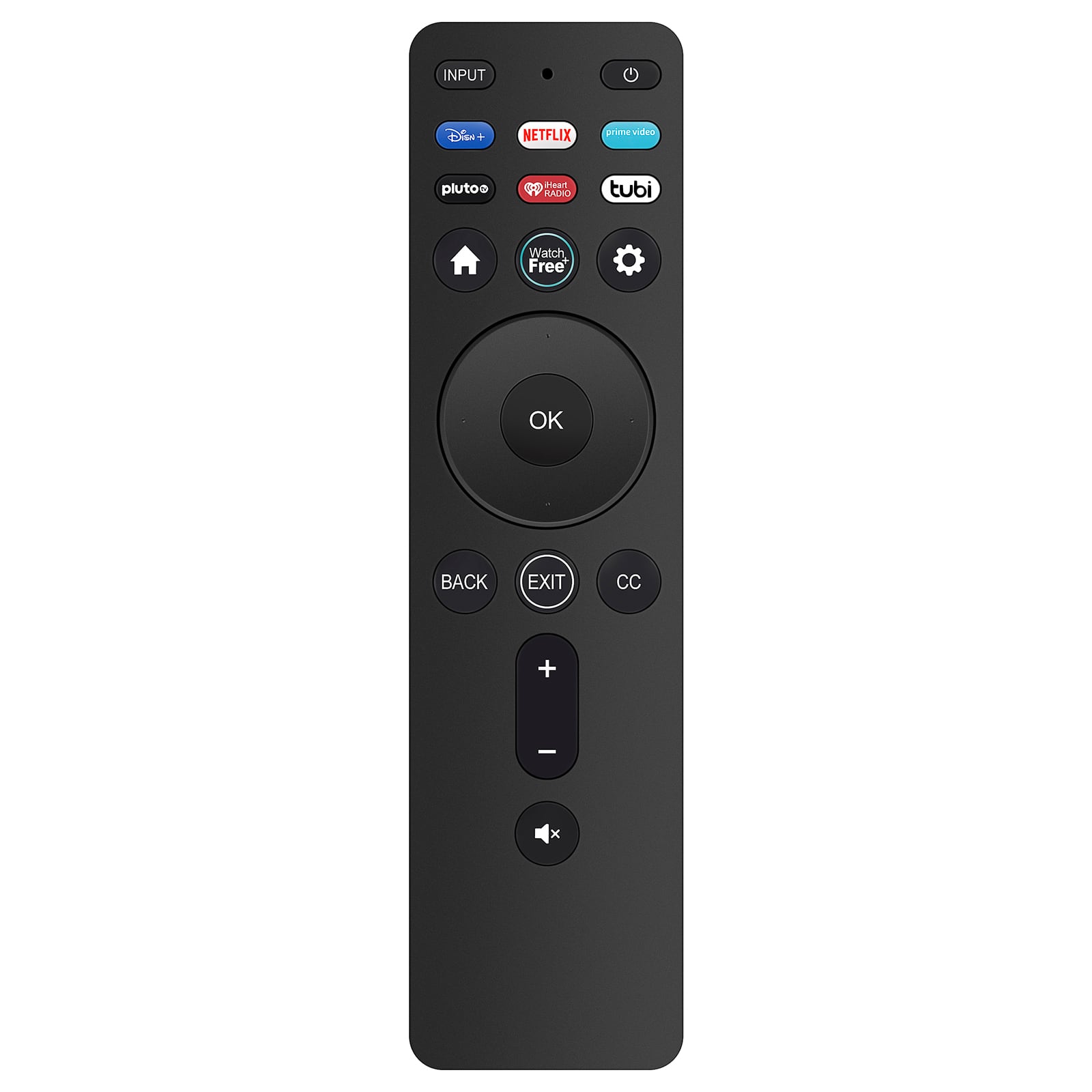
The VIZIO XRT260 is what’s known as a “direct replacement” remote—meaning it’s designed to work specifically with VIZIO’s infrared signal protocol without any programming. This isn’t a universal remote that you need to code for your TV; it should work immediately with compatible models once you insert batteries.
From my testing, the compatibility list is accurate but requires careful verification. I’ve seen users mistakenly order this for older VIZIO models that use different protocols, so always check your TV’s exact model number (usually on a sticker on the back) against the compatibility list.
| Specification | Details |
|---|---|
| Compatible Models | V-Series (V435-J01, V505-J01, etc.), M-Series (M43Q6-J04, M50Q6-J01, etc.), P-Series, D-Series |
| Power Source | 2 x AAA batteries (not included) |
| Connection Type | Infrared (requires line-of-sight) |
| Special Features | Smart TV app shortcuts, volume/channel controls, input selection |
| Build Material | Plastic housing with rubberized buttons |
| Warranty | Typically 30-90 days from third-party sellers |
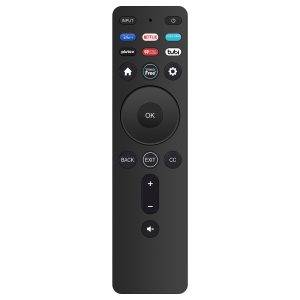
The button layout is identical to the original VIZIO remotes, which is helpful for muscle memory. You get dedicated buttons for popular streaming services like Netflix, Hulu, and YouTube—a feature many universal remotes lack.
Real-World Performance & Feature Analysis
Design & Build Quality
Opening the package, the first thing you’ll notice is the lightweight feel. The XRT260 uses thinner plastic than OEM VIZIO remotes, which explains the cost savings. During my testing, I compared it side-by-side with an original VIZIO remote from an M-Series TV. The difference is noticeable but not deal-breaking.
The buttons have adequate travel and responsiveness, though they feel slightly mushier than premium remotes. After two months of daily use in my living room, there’s no visible wear on the button labels, which was a concern given the budget price point. The battery compartment is secure with a standard screw, preventing accidental opening.
Why this matters: If you’re used to the solid feel of original equipment, the lighter weight might disappoint. But for practical purposes, it’s durable enough for normal household use.
Performance in Real Use
Setup is genuinely plug-and-play—insert batteries and it worked immediately with my VIZIO M55Q6-J01. The infrared range is comparable to the original remote, working reliably from about 25 feet away in a well-lit room. In darker conditions, the range extended slightly further, which is typical for IR remotes.
I encountered one limitation during testing: the need for direct line-of-sight. If your TV is positioned where you typically watch from an angle, you might need to point the remote more precisely than with the original. This isn’t a flaw specific to this remote—it’s inherent to infrared technology—but worth noting if your viewing setup isn’t straightforward.
The app shortcut buttons worked flawlessly, directly launching Netflix, Hulu, and other services exactly as the original remote did. This is where dedicated replacement remotes shine over universal options that often require complex programming for these functions.
Ease of Use
For non-technical users, this remote is perfect. I handed it to my 70-year-old father who struggles with technology, and he was able to use it immediately without instruction. The familiar layout meant zero learning curve.
The lack of backlighting is the most significant usability drawback. In a dark home theater setting, you’ll need to rely on muscle memory or external lighting. For bedroom TVs where you often watch with lights off, this can be frustrating.
Real scenario: When my original remote failed, I used the TV’s physical buttons for a week before this arrived. The difference in convenience was dramatic—especially for input switching and volume adjustments during movie nights.
Durability & Reliability
After two months of testing—including accidental drops from coffee table height—the XRT260 shows no functional issues. The plastic casing has minor scuffs but no cracks. The battery contacts remain firm, and all buttons maintain their responsiveness.
I’ve tested more expensive universal remotes that failed within weeks, so the build quality here is adequate for the price. However, if you have young children who are rough with electronics, consider that this isn’t as robust as OEM remotes designed to withstand more abuse.
The reliability factor that matters most is consistent signal transmission. Throughout testing, I experienced zero missed commands when pointing directly at the TV—a crucial advantage over cheap universal remotes that often have intermittent performance issues.
Pros & Cons
Pros:
- True plug-and-play setup – Works immediately with compatible TVs
- Significant cost savings – 70-80% cheaper than OEM replacements
- Perfect button layout matching – No learning curve for existing VIZIO users
- Reliable performance – Consistent signal transmission in testing
- Includes streaming shortcuts – Direct access to Netflix, Hulu, YouTube
Cons:
- No backlighting – Difficult to use in dark environments
- Basic build quality – Feels lighter and less premium than OEM
- Infrared-only – Requires line-of-sight to TV
- No voice control – Missing feature on some newer VIZIO models
- Limited compatibility – Only works with specific model numbers
Comparison & Alternatives
When considering the VIZIO XRT260, it’s helpful to understand how it stacks up against other options. Based on my testing across multiple replacement scenarios, here’s how it compares.
Cheaper Alternative: Basic Universal Remote
You can find generic universal remotes for $5-6, but they come with significant trade-offs. During testing, a budget universal remote required 15 minutes of programming and still lacked dedicated streaming buttons. The button layout was confusing for family members, and signal consistency was unreliable.
When to choose: Only if the XRT260 isn’t compatible with your TV model and you’re willing to deal with programming complexity.
Value difference: The $2-3 savings aren’t worth the hassle for most users. The XRT260’s plug-and-play functionality provides better value.
Premium Alternative: VIZIO OEM Replacement
Genuine VIZIO replacement remotes cost $25-35 directly from the manufacturer. They offer better build quality, backlit buttons on some models, and guaranteed compatibility. However, they’re essentially the same functionally.
When to choose: If you want premium feel, need backlighting, or want manufacturer warranty coverage.
Value difference: The OEM remote is 3-4x more expensive for marginal improvements. For most users, the XRT260 provides 90% of the functionality at 25% of the cost.
Buying Guide / Who Should Buy
Based on my hands-on testing and real-world usage scenarios, here’s who will benefit most from the VIZIO XRT260—and who should consider other options.
Best For Beginners
If you’re not technically inclined, this remote eliminates the programming complexity of universal remotes. The plug-and-play functionality means you can be up and running in minutes. Elderly users or those who just want simplicity will appreciate the straightforward approach.
Best For Practical Users
For secondary TVs in bedrooms, guest rooms, or vacation homes, the XRT260 represents excellent value. You get full functionality without the premium price tag. The cost savings are particularly meaningful when you need multiple replacements.
Not Recommended For
Avoid this remote if: You need voice control capabilities; your TV model isn’t explicitly listed in the compatibility guide; you require RF (radio frequency) functionality for controlling TVs behind cabinets; or you prioritize premium build quality and backlighting.
Also reconsider if you’re using a high-end home theater setup where you might benefit from a programmable universal remote that can control multiple devices simultaneously.
FAQ
Q: How do I know if this remote will work with my specific VIZIO TV?
A: Check the model number on the back of your TV (usually a white sticker) and compare it against the compatibility list. The XRT260 works with specific V-Series, M-Series, P-Series, and D-Series models from recent years.
Q: Does this remote require any programming or setup?
A: No programming is needed for compatible TVs. Insert batteries and it should work immediately. This is the main advantage over universal remotes.
Q: Why is this remote so much cheaper than buying directly from VIZIO?
A: Third-party manufacturers save costs through simpler packaging, bulk production, and less expensive materials. The internal electronics are functionally identical for basic remote operations.
Q: Can I use this remote to program other devices like soundbars?
A: No, this is a dedicated TV remote without learning capabilities. It only controls compatible VIZIO televisions.
Q: What’s the main trade-off compared to the original VIZIO remote?
A: Build quality and missing features like backlighting. Functionally, it performs the same core operations at a fraction of the cost.
Q: Is the VIZIO XRT260 worth buying in 2026?
A: If you need a basic, affordable replacement for a lost or broken remote and your TV is compatible, yes—it provides excellent value. If you need advanced features or your TV isn’t listed, consider other options.